WordPress nginx FastCGI Cache: Full-Page Caching Setup
Set up full-page caching for WordPress in nginx with fastcgi_cache: the cache zone, skip rules for logged-in users and carts, a HIT/MISS header, purging, and what goes wrong.
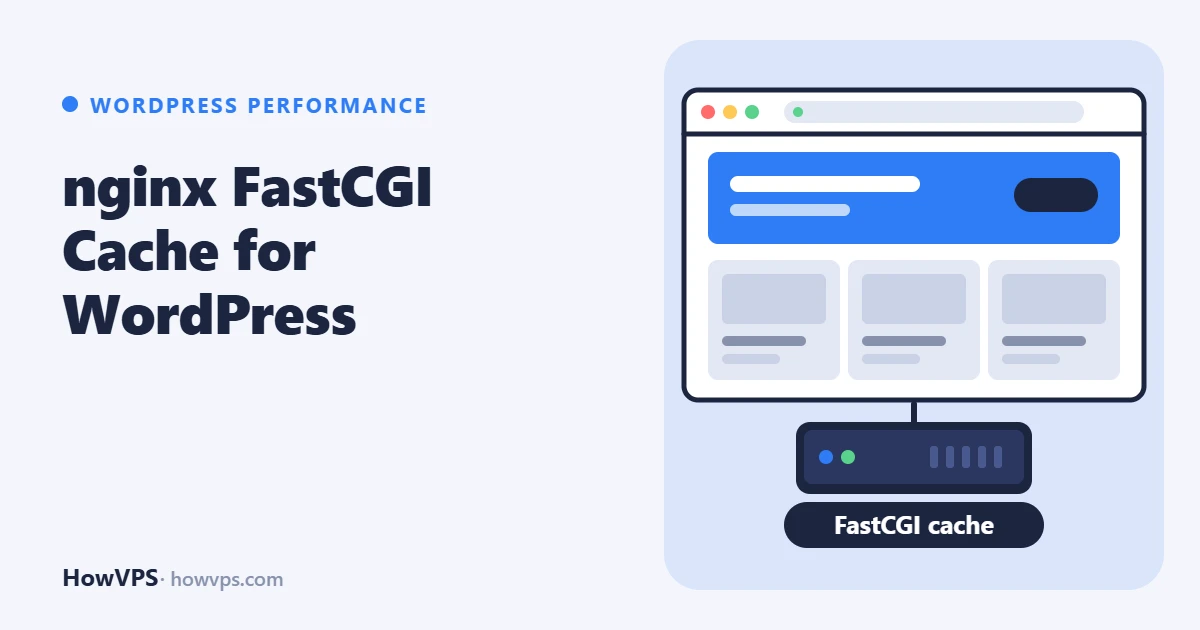
nginx can store the HTML that PHP-FPM produces and serve it to the next visitor without starting PHP at all. This is the FastCGI cache. For anonymous visitors it removes PHP and the database from almost every request, and it needs no WordPress plugin.
The setup has three parts: a cache zone defined once with fastcgi_cache_path, a set of rules that decide which requests must never be cached (logged-in users, carts, the admin area), and a response header that shows HIT or MISS so you can check the result with curl.
Each directive below was checked against the nginx.org documentation. The configuration was not run on a test server for this article, so test it with nginx -t and the curl checks before relying on it.
Define the cache zone
Create a directory owned by the user nginx runs as, then define the zone in the http context. Files in /etc/nginx/conf.d/ are included there on all the distributions covered here.
# Ubuntu, Debian (nginx runs as www-data)
sudo mkdir -p /var/cache/nginx/wordpress
sudo chown www-data:www-data /var/cache/nginx/wordpress

# AlmaLinux, Rocky Linux (nginx runs as nginx)
sudo mkdir -p /var/cache/nginx/wordpress
sudo chown nginx:nginx /var/cache/nginx/wordpress
Put this in /etc/nginx/conf.d/fastcgi-cache.conf:
fastcgi_cache_path /var/cache/nginx/wordpress levels=1:2 keys_zone=WORDPRESS:100m
                   inactive=60m max_size=1g use_temp_path=off;
fastcgi_cache_key "$scheme$request_method$host$request_uri";fastcgi_cache_pathis allowed only inhttp.keys_zonenames a shared memory zone for the keys; according to the documentation one megabyte holds about 8,000 keys.levels=1:2spreads the files over two levels of subdirectories.inactive=60mremoves entries nobody requested for 60 minutes, whether or not they are still valid. The default is 10 minutes.max_sizecaps disk use; nginx removes the least recently used entries when it is exceeded.use_temp_path=offwrites temporary files straight into the cache directory.fastcgi_cache_keyhas no default and must be set. Including$schemeand$hostkeeps sites and protocols apart.
Decide what must not be cached
This is the part that matters. In the server block of the site, before the locations, add:
set $skip_cache 0;

# Form submissions and other writes
if ($request_method = POST) { set $skip_cache 1; }

# URLs with a query string (searches, previews, tracking parameters)
if ($query_string != "") { set $skip_cache 1; }

# Admin, login, cron, feeds, sitemaps, WooCommerce pages
if ($request_uri ~* "/wp-admin/|/wp-login\.php|/wp-cron\.php|/xmlrpc\.php|/wp-json/|/feed/|sitemap.*\.xml|/cart/|/checkout/|/my-account/") {
    set $skip_cache 1;
}

# Logged-in users, recent commenters, password-protected posts, non-empty carts
if ($http_cookie ~* "wordpress_logged_in|comment_author|wp-postpass|woocommerce_items_in_cart|woocommerce_cart_hash|wp_woocommerce_session") {
    set $skip_cache 1;
}
Adjust /cart/, /checkout/ and /my-account/ if the shop uses other page addresses, and add any page that shows per-user content, such as a members' area.
Turn the cache on in the PHP location
Add these lines inside the existing location ~ \.php$ block, next to fastcgi_pass:
fastcgi_cache WORDPRESS;
fastcgi_cache_valid 200 301 302 60m;
fastcgi_cache_valid 404 1m;
fastcgi_cache_bypass $skip_cache;
fastcgi_no_cache $skip_cache;
fastcgi_cache_use_stale error timeout updating invalid_header http_500 http_503;
fastcgi_cache_background_update on;
fastcgi_cache_lock on;
add_header X-FastCGI-Cache $upstream_cache_status always;fastcgi_cache_validsets how long a response with the given status code stays fresh.fastcgi_cache_bypassstops nginx answering from the cache;fastcgi_no_cachestops it saving the response. Each acts when its value is non-empty and not "0". Use both together.fastcgi_cache_use_stalelets nginx serve an expired copy when PHP fails or times out, and withupdatingwhile a fresh copy is fetched. Withfastcgi_cache_background_update onthe refresh happens in the background and the visitor does not wait.fastcgi_cache_lock onlets only one request build a missing page while others for the same page wait for it.$upstream_cache_statusholds the result for each request:MISS,HIT,BYPASS,EXPIRED,STALE,UPDATINGorREVALIDATED.
One trap: in the nginx versions packaged by the distributions, add_header lines from the server level are inherited only if the location has none of its own. If you set security headers at server level, repeat them in this location.
Test and reload:
sudo nginx -t && sudo systemctl reload nginxCheck HIT and MISS with curl
curl -s -o /dev/null -D - https://example.com/ | grep -i x-fastcgi-cache
curl -s -o /dev/null -D - https://example.com/ | grep -i x-fastcgi-cache
The first request should print MISS and the second HIT. Then test that the skip rules work:
curl -s -o /dev/null -D - 'https://example.com/?s=test' | grep -i x-fastcgi-cache
curl -s -o /dev/null -D - -H 'Cookie: wordpress_logged_in_test=1' https://example.com/ | grep -i x-fastcgi-cache
Both must print BYPASS.
If the home page stays on MISS, look at the headers PHP sends. nginx does not cache a response that carries Set-Cookie, and it obeys Cache-Control and Expires from the backend:
curl -s -o /dev/null -D - https://example.com/ | grep -i -E 'set-cookie|cache-control|expires'A plugin that starts a PHP session or sets a cookie for every visitor makes the page uncacheable. Fix or replace that plugin. fastcgi_ignore_headers can override these headers, but ignoring Set-Cookie is how one visitor's session ends up in the cache, so do not use it for that.
Purging the cache
When you publish or edit a post, cached pages stay as they were until they expire. There are three ways to deal with it.
Wait. With a validity of a few minutes to an hour, many sites need nothing more.
Delete the files. This clears everything and is safe while nginx runs:
sudo find /var/cache/nginx/wordpress -type f -deleteDelete the files, not the directory itself, and type the path with care. To stop PHP workers being hit by many rebuilds at once on a busy site, do this at a quiet time.
A purge helper plugin. The "Nginx Helper" plugin purges the affected pages when content changes. It has limits. The fastcgi_cache_purge directive in the nginx.org documentation is part of the commercial subscription; the plugin's purge-request mode needs the separate third-party cache purge module instead. Its other mode deletes cache files directly, so the PHP user needs write access to the cache directory, and the path is set with the constant RT_WP_NGINX_HELPER_CACHE_PATH (the plugin's default is /var/run/nginx-cache/). On AlmaLinux and Rocky Linux, PHP-FPM and nginx often run as different users, so that access has to be arranged. By default the plugin does not purge after core, plugin or theme updates.
Disk or tmpfs
A cache on disk is the simple choice. Linux keeps recently read files in memory anyway, so hot pages are served from RAM either way. A tmpfs (a filesystem held in memory) avoids disk writes but takes its space from RAM, which a small VPS needs for PHP and the database. If you use one, give it a size limit in /etc/fstab:
tmpfs /var/cache/nginx/wordpress tmpfs rw,size=256m,uid=33,gid=33,mode=0700 0 033 is www-data on Debian and Ubuntu; use the number from id -u nginx elsewhere. Keep max_size below the tmpfs size, and verify with df -h /var/cache/nginx/wordpress after sudo mount -a. For how much memory to leave free, see How much RAM WordPress needs.
What breaks when the rules are wrong
| What you see | Cause | Fix |
|---|---|---|
| Visitors see the admin bar or another user's name | Logged-in cookie rule missing, or Set-Cookie ignored | Restore the cookie rule, purge everything at once |
| Cart shows another customer's items, or stays empty | Shop pages or cart cookies not excluded | Add the shop's URLs and cookies, purge |
| Edits do not appear | Cached copy still valid | Purge, or shorten fastcgi_cache_valid |
Always MISS | Backend sends Set-Cookie or Cache-Control: no-cache | Find the plugin that sends it |
Always BYPASS | A skip rule matches every request | Check cookies and query strings in the test |
| Site in the wrong language or currency | Page varies by something not in the key | Exclude those pages or extend the key |
The first two rows are privacy problems, not cosmetic ones. After any change to the rules, repeat the curl tests with and without the cookie before you leave the server.
The page cache does nothing for logged-in users and the admin area. For those, add a Redis object cache and check the PHP-FPM pool. If the site is still slow, Why is WordPress slow? lists the other causes. If nginx has not been updated for a while, read the nginx HTTP/2 advisory first.
Frequently asked questions
Do I still need a caching plugin?
Not for page caching. Use one page cache, not two, so that it is clear which layer served a page.
Does this work with Apache?
No. fastcgi_cache is an nginx feature. With Apache in front of PHP-FPM, use a page cache plugin.